
Connected ERP modules
Sales ERP, connected to your business
Connect quotations, sales orders, deliveries, invoices and customer receipts, with commercial checks and payment allocation in SERP.
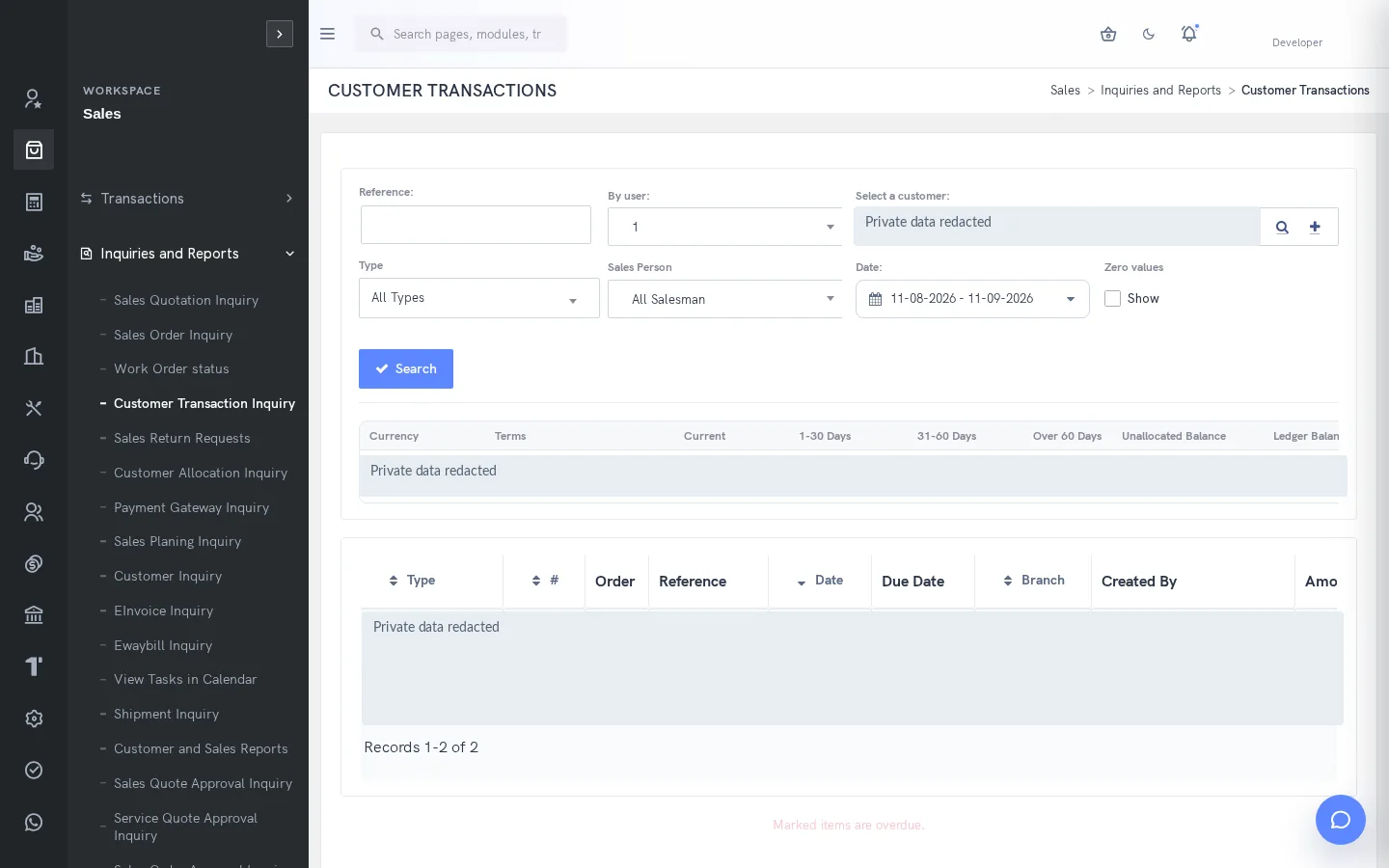
A clearer way to manage sales
An accepted order is only the beginning of a sale. Sales, stores and finance need a consistent view of what was promised, what was delivered, what was billed and what remains unpaid. SERP supports that sequence through connected customer and transaction records, while retaining separate actions for delivery, billing and settlement.
What is sales in SERP?
SERP is an integrated ERP/business management platform from Sybel Micro Solutions. Its sales capabilities support the operational records, inquiries and authorized actions described below. Teams can follow a requirement through the relevant business records instead of interpreting isolated status updates. Availability depends on enabled company functions and the user’s role.
Key capabilities
Customers and branches
Maintain customer names, legal and registration information, currency, credit limits, payment terms and sales ownership. Billing and shipping information are maintained separately. Customer branches and contacts provide document context. Review existing transactions before changing master settings because some accounting choices are constrained after activity begins.
Quotations and orders
Prepare item lines with quantities, prices, discounts, tax and delivery information. Review company branch, inventory location, date, reference and commercial classifications before processing. Quotation validity and order delivery dates have different meanings. SERP validates required details, quantities and totals, helping operators identify incomplete commercial information before submission.
Delivery and invoicing
Select outstanding sales-order quantities for delivery and use delivered quantities for invoice processing. Direct delivery and direct invoice modes provide alternative entry paths. Each mode has its own initialization and stock effects. Review the document type before saving so a commercial draft is not confused with a posted transaction.
Repeated billing and corrections
Pro-forma, template and recurrent-invoice workflows support different billing needs. A pro-forma is separate from a final invoice. Use credit notes and the documented return request, authorization, receipt, inspection and resolution functions for appropriate corrections. Inspect resulting stock and financial records instead of assuming all corrections have the same effect.
Receipts and allocations
Record customer payments against the intended customer, branch and bank account. Review date, payment method, charges and applicable deductions. Allocate receipts or credits to outstanding invoices and inspect any unallocated balance. Recording money received and matching it to an invoice are separate steps, both necessary for a clear receivables picture.
How the workflow connects
QuotationSales orderDeliveryInvoiceReceiptAllocation
Putting the workflow into practice
A distributor can review available stock before confirming delivery quantities. A manufacturer can connect an order item to the appropriate production work. A finance user can investigate overdue invoices from customer inquiries rather than relying on an order status. Shipment tracking, planning inquiries and calendar tasks support follow-up around those transactions.
Permissions and review points
Pending quotation or order approval blocks conflicting changes and duplicate submissions in the documented flow. Delivered quantities constrain later edits. Closed fiscal dates and held customers can prevent processing. E-Invoice and E-Way Bill actions use their own authorized service workflows; sales approval alone is not an external acknowledgement.
Questions to bring to your demo
Bring a representative sales requirement and the roles involved. Start with the source record, follow the next transaction and examine the resulting inquiry. Ask the team to show the relevant validation, approval and exception handling with your expected company and location context. This makes it possible to assess the workflow against how your organization actually works.
Review both routine activity and a realistic exception. Identify who enters information, who reviews it and who confirms the final result. Agree which inquiry or report establishes completion, and check the underlying references. This approach creates a useful implementation discussion without assuming that every optional function is already enabled.
Define a reliable handoff between teams
Use the workflow above to agree the reference that passes from one team to the next. The next person should know what the previous action establishes, which details still need review and which record will confirm the result. Retain the company, date and relevant party or item context when investigating a difference. This makes an exception easier to explain than a separate message with no transaction reference.
During implementation, compare the intended procedure with the available entry and inquiry screens. Test a complete record, an incomplete record and a role that should not perform the action. Where approval applies, review pending and completed outcomes separately. The objective is to establish the operating boundaries and evidence of completion for the actual configuration your team will use.
Who uses this module?
Sales operators, commercial supervisors, dispatch teams and receivables staff.
Business value of a connected workflow
Separating order, delivery, invoice and allocation helps each team explain what has actually been completed.
Reporting and operational review
Sales order, customer transaction and allocation inquiries help review outstanding quantities and customer balances.
Explore individual functions
A few useful answers
Frequently asked questions
What does SERP sales help teams manage?
Connect quotations, sales orders, deliveries, invoices and customer receipts, with commercial checks and payment allocation in SERP.
How should we evaluate sales in a demo?
Use a representative requirement, trace the steps from quotation to allocation, and review the resulting records with the people responsible for each action.
Can every user access these functions?
No. Availability depends on enabled company functions and assigned permissions. Entry, review, approval and administration may require different access.
Can SERP handle partial fulfilment?
Delivery against sales orders lets users select outstanding quantities. Billing against delivery uses delivered quantities; review the remaining order separately.
Does recording a payment settle every invoice?
No. Customer payment entry and allocation are separate. Allocate the amount to the intended invoices and review the remainder.
Which reports help this team review its work?
Sales order, customer transaction and allocation inquiries help review outstanding quantities and customer balances.
See how your business connects with SERP.
Bring your processes, priorities and questions. Let’s make the demonstration useful for your team.
Request a Demo →