
Connected ERP modules
Manufacturing ERP, connected to your business
Connect bills of material, work orders, component issues, job cards, production and costing with SERP manufacturing management.
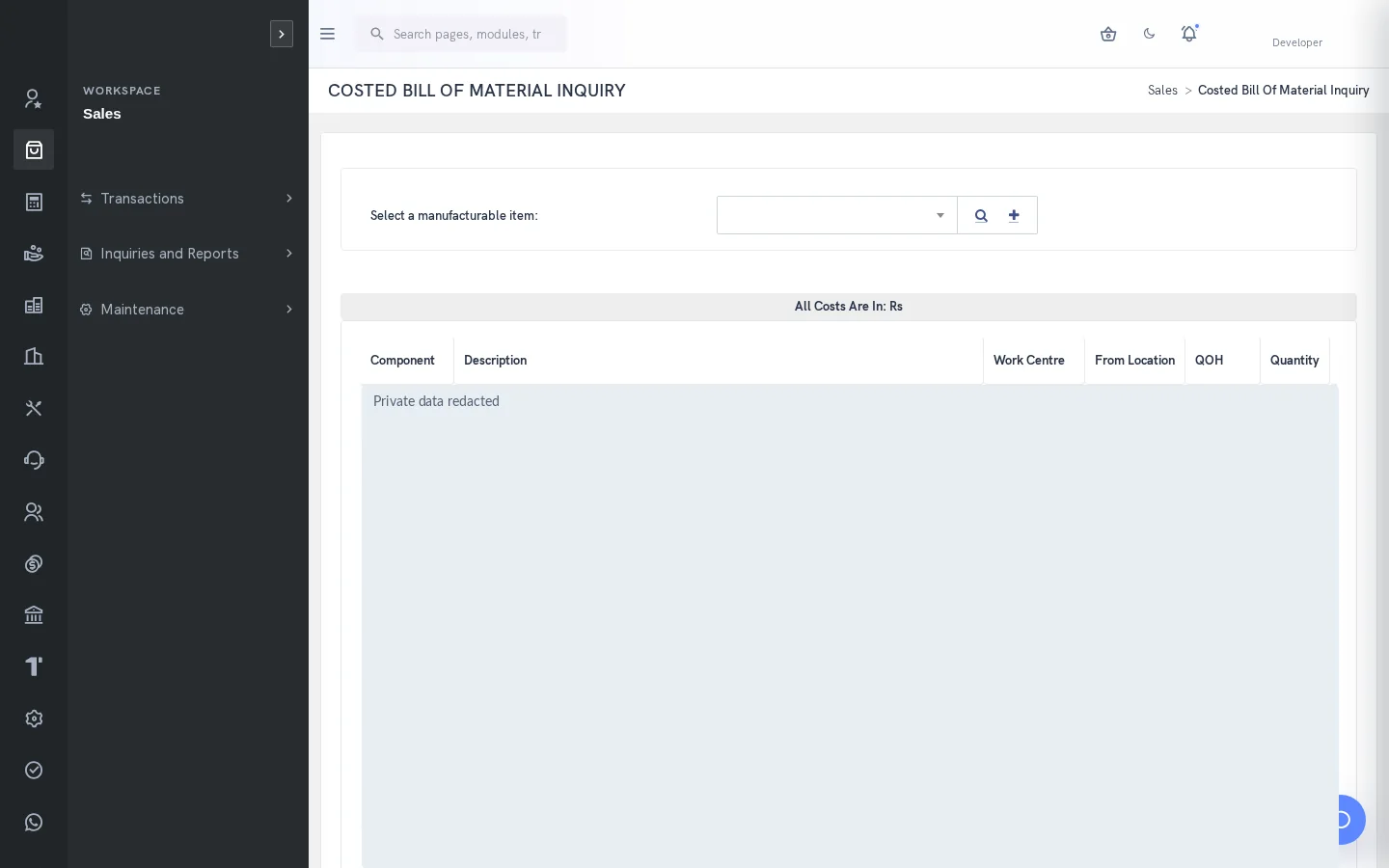
A clearer way to manage manufacturing
Production planning becomes harder when the product definition, material position and work status are maintained separately. SERP connects BOMs and work orders with inventory, job activities, production output and financial traceability. Planners and supervisors can review the relevant records before releasing work, issuing components or closing an order.
What is manufacturing in SERP?
SERP is an integrated ERP/business management platform from Sybel Micro Solutions. Its manufacturing capabilities support the operational records, inquiries and authorized actions described below. Teams can follow a requirement through the relevant business records instead of interpreting isolated status updates. Availability depends on enabled company functions and the user’s role.
Key capabilities
Bills of material
Define components with quantities, source locations and work centres for the manufactured or kit item. BOM and where-used inquiries support review of product structure. Avoid recursive component relationships. A maintained BOM provides a shared starting point for material discussion, but engineering suitability still requires review by the responsible team.
Work orders
Enter the required item, company branch, destination location, production line, quantity and dates. Use sales-order item linkage where appropriate. SERP validates BOM availability and applicable component-stock conditions. The work-order reference provides the context for subsequent production activity, while the order type determines the relevant execution steps.
Material and job activity
Follow the work-order flow for release, component issue, job-card allocation, process activity and output recording as applicable. These are separate events. Work centres, machine and process masters, line mapping and activity types help establish production context. Assign material issues to the intended work order so consumption can be traced.
Planning and costing
Use manufacturing demand, outstanding work orders, finished-goods planning, raw-material status and sales-order item inquiries to understand the work ahead. Compare quantity manufactured with the work-order requirement. Manufacturing accounting trace helps users investigate costs alongside operational records before deciding whether an order is ready to close.
Quality and reviewed AI proposals
Nonconformance reports and related costs connect production problems to follow-up. Quality provides additional inspection and observation workflows. AI BOM proposals use similarities with existing BOM patterns to suggest components; engineers must inspect suitability, units, quantities, locations and work centres before an authorized approval changes the target BOM.
How the workflow connects
Item & BOMWork orderMaterial issueJob activityProduction & costingClose
Putting the workflow into practice
For a sales-driven production requirement, first confirm the order item and hold status. Check its BOM and component position before creating the work order. During execution, distinguish released work from issued material and recorded finished output. At review, investigate differences between required and manufactured quantities rather than treating an open order as a single undifferentiated backlog.
Permissions and review points
Manufacturing availability depends on the company preference and user access. A work order cannot be reduced below the quantity already manufactured; processed orders cannot simply be deleted, and closed orders cannot be edited. A sales-order line on work-order hold blocks creation. Neither an AI confidence score nor proposal approval guarantees engineering correctness.
Questions to bring to your demo
Bring a representative manufacturing requirement and the roles involved. Start with the source record, follow the next transaction and examine the resulting inquiry. Ask the team to show the relevant validation, approval and exception handling with your expected company and location context. This makes it possible to assess the workflow against how your organization actually works.
Review both routine activity and a realistic exception. Identify who enters information, who reviews it and who confirms the final result. Agree which inquiry or report establishes completion, and check the underlying references. This approach creates a useful implementation discussion without assuming that every optional function is already enabled.
Define a reliable handoff between teams
Use the workflow above to agree the reference that passes from one team to the next. The next person should know what the previous action establishes, which details still need review and which record will confirm the result. Retain the company, date and relevant party or item context when investigating a difference. This makes an exception easier to explain than a separate message with no transaction reference.
During implementation, compare the intended procedure with the available entry and inquiry screens. Test a complete record, an incomplete record and a role that should not perform the action. Where approval applies, review pending and completed outcomes separately. The objective is to establish the operating boundaries and evidence of completion for the actual configuration your team will use.
Who uses this module?
Production planners, engineers, stores staff and manufacturing cost reviewers.
Business value of a connected workflow
Keeping material issue, output and cost review distinct makes it easier to explain a shortage or an unfinished work order.
Reporting and operational review
BOM, production planning, work-order status and manufacturing accounting inquiries support material and execution review.
Explore individual functions
A few useful answers
Frequently asked questions
What does SERP manufacturing help teams manage?
Connect bills of material, work orders, component issues, job cards, production and costing with SERP manufacturing management.
How should we evaluate manufacturing in a demo?
Use a representative requirement, trace the steps from item & bom to close, and review the resulting records with the people responsible for each action.
Can every user access these functions?
No. Availability depends on enabled company functions and assigned permissions. Entry, review, approval and administration may require different access.
Does SERP use bills of material?
Yes. Manufacturing uses BOMs with components, quantities, locations and work centres, alongside costed BOM review.
Can AI prepare a BOM?
AI BOM proposals suggest components using similar existing patterns. Engineering review is required and approval can skip ineligible lines.
Which reports help this team review its work?
BOM, production planning, work-order status and manufacturing accounting inquiries support material and execution review.
See how your business connects with SERP.
Bring your processes, priorities and questions. Let’s make the demonstration useful for your team.
Request a Demo →