
Connected ERP modules
Service Management ERP, connected to your business
Coordinate service requests, engineer assignments, estimates, visits, spare parts and customer feedback with SERP.
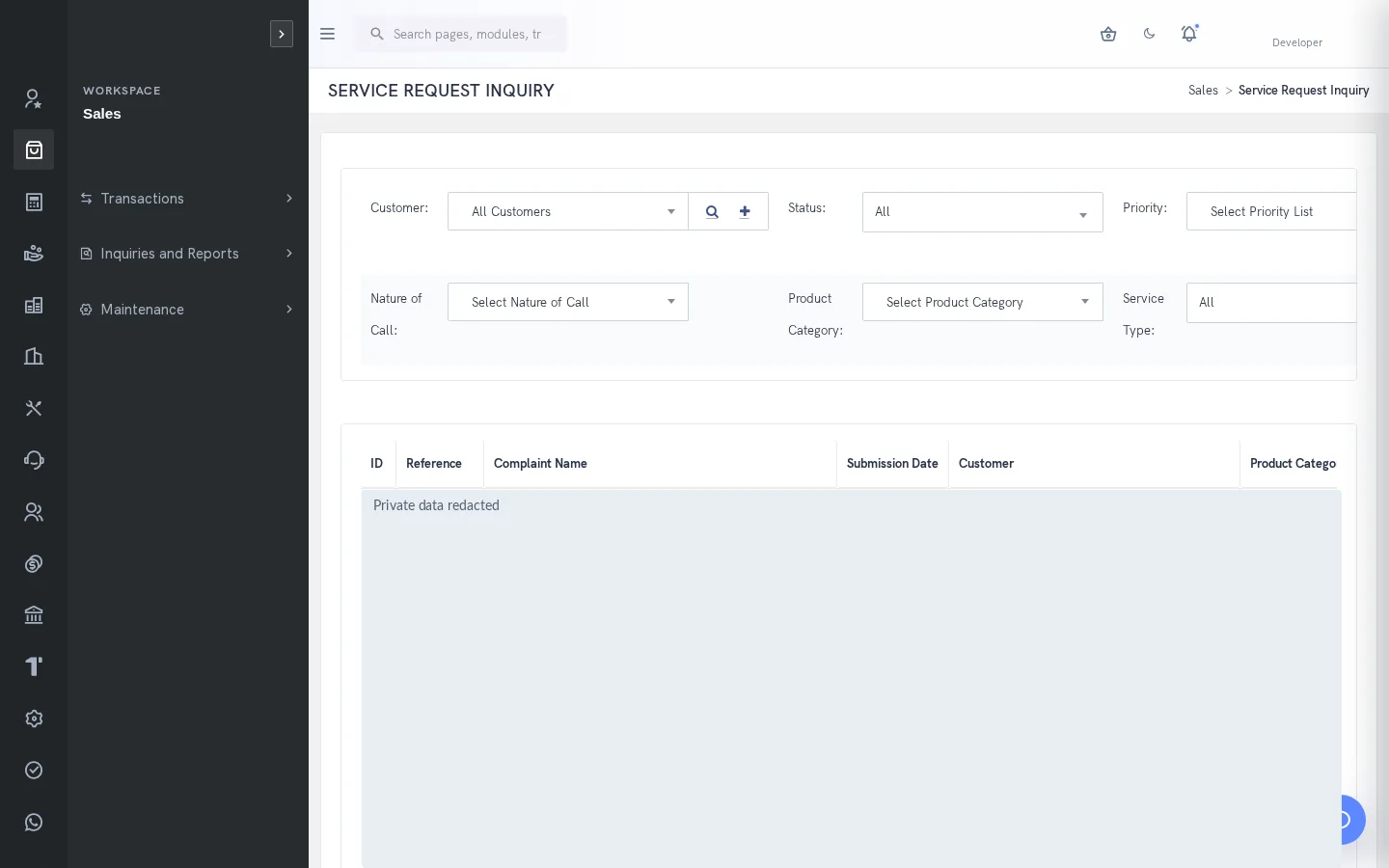
A clearer way to manage service management
Service work involves several handoffs: the coordinator receives the requirement, an engineer investigates it, stores provides spares and billing needs the service record. SERP keeps these activities in related operational workflows so unresolved work can be reviewed with its customer and product context.
What is service management in SERP?
SERP is an integrated ERP/business management platform from Sybel Micro Solutions. Its service management capabilities support the operational records, inquiries and authorized actions described below. Teams can follow a requirement through the relevant business records instead of interpreting isolated status updates. Availability depends on enabled company functions and the user’s role.
Key capabilities
Requests and product context
Use product registration and serial tracking where relevant, then record the service request with customer, product and classification details. Consistent identification helps a coordinator understand which product needs attention and gives the assigned engineer a useful starting point for investigation.
Assignment and estimates
Assign a service engineer and prepare an estimate when the work requires it. Estimates, site visits and service reports have distinct management screens. Keeping the estimate separate from the final report makes the planned scope and the recorded work easier to review.
Visits, reports and spares
Maintain site-visit and service-report records, request spare parts and use the dedicated spare-material issue workflow. Check the intended request and material before issue. The service narrative and the stock transaction answer different questions and should remain traceable to the same operational requirement.
Feedback and follow-up
Record customer feedback and lessons learned after service activity. Outstanding Services and Service Request Inquiry support review of unresolved work. Configurable categories, severity, nature of call and status help teams organize their service queue without requiring an invented universal lifecycle.
How the workflow connects
Product or serialRequestAssign engineerEstimate & visitReport & sparesFeedback
Putting the workflow into practice
A service coordinator can use the outstanding inquiry to review work that still needs attention. An engineer can record the visit and required spares. Stores can issue the intended material through its own workflow, while management reviews service reports and feedback to understand the completed work.
Permissions and review points
Service classifications and status choices depend on company configuration. Access to a request does not imply permission to issue stock or process financial activity. Confirm how the service and billing workflows are connected during a demo using a representative requirement.
Questions to bring to your demo
Bring a representative service management requirement and the roles involved. Start with the source record, follow the next transaction and examine the resulting inquiry. Ask the team to show the relevant validation, approval and exception handling with your expected company and location context. This makes it possible to assess the workflow against how your organization actually works.
Review both routine activity and a realistic exception. Identify who enters information, who reviews it and who confirms the final result. Agree which inquiry or report establishes completion, and check the underlying references. This approach creates a useful implementation discussion without assuming that every optional function is already enabled.
Define a reliable handoff between teams
Use the workflow above to agree the reference that passes from one team to the next. The next person should know what the previous action establishes, which details still need review and which record will confirm the result. Retain the company, date and relevant party or item context when investigating a difference. This makes an exception easier to explain than a separate message with no transaction reference.
During implementation, compare the intended procedure with the available entry and inquiry screens. Test a complete record, an incomplete record and a role that should not perform the action. Where approval applies, review pending and completed outcomes separately. The objective is to establish the operating boundaries and evidence of completion for the actual configuration your team will use.
Who uses this module?
Service coordinators, engineers, spare-parts teams and billing staff.
Business value of a connected workflow
Retaining customer, product and service history helps the next engineer understand the request and the work already performed.
Reporting and operational review
Service Request Inquiry, Outstanding Services and service reports help identify unresolved visits, work and follow-up.
Explore individual functions
Use the related features below to explore the connected business process in more detail.
A few useful answers
Frequently asked questions
What does SERP service management help teams manage?
Coordinate service requests, engineer assignments, estimates, visits, spare parts and customer feedback with SERP.
How should we evaluate service management in a demo?
Use a representative requirement, trace the steps from product or serial to feedback, and review the resulting records with the people responsible for each action.
Can every user access these functions?
No. Availability depends on enabled company functions and assigned permissions. Entry, review, approval and administration may require different access.
Can service work refer to a product serial?
Product Registration/Serial Tracking is documented for service context. Confirm the relevant registration and product before recording a request.
Can engineers request spare parts?
Service workflows include spare-material requests and issues, alongside estimates, visits and service reports.
Which reports help this team review its work?
Service Request Inquiry, Outstanding Services and service reports help identify unresolved visits, work and follow-up.
See how your business connects with SERP.
Bring your processes, priorities and questions. Let’s make the demonstration useful for your team.
Request a Demo →