
Connected ERP modules
Banking ERP, connected to your business
Record payments, deposits and account transfers, then compare bank activity with statement evidence in SERP.
A clearer way to manage banking
Bank activity needs a clear connection to the business transaction and the external statement. SERP provides dedicated payment, deposit, transfer and reconciliation workflows, with bank inquiries for reviewing recorded activity. Reconciliation is a deliberate matching process, not a consequence of opening a report.
What is banking in SERP?
SERP is an integrated ERP/business management platform from Sybel Micro Solutions. Its banking capabilities support the operational records, inquiries and authorized actions described below. Teams can follow a requirement through the relevant business records instead of interpreting isolated status updates. Availability depends on enabled company functions and the user’s role.
Key capabilities
Payments and deposits
Use the appropriate outgoing or incoming bank/cash workflow, reviewing account, reference, date, currency and amount. Preserve customer or supplier subledger context through the dedicated settlement process when the movement relates to an invoice.
Account transfers
Record movement between the intended accounts through Bank Account Transfers. Review both sides and relevant currency settings before processing, then inspect the resulting bank and financial records. An internal transfer differs from a customer receipt or supplier payment.
Statement reconciliation
Select the account and statement context, compare recorded entries with statement evidence and mark only verified matches. Investigate unmatched differences before completing reconciliation. Statement import and matching controls vary by the installed workflow and configured account mapping.
Bank inquiries
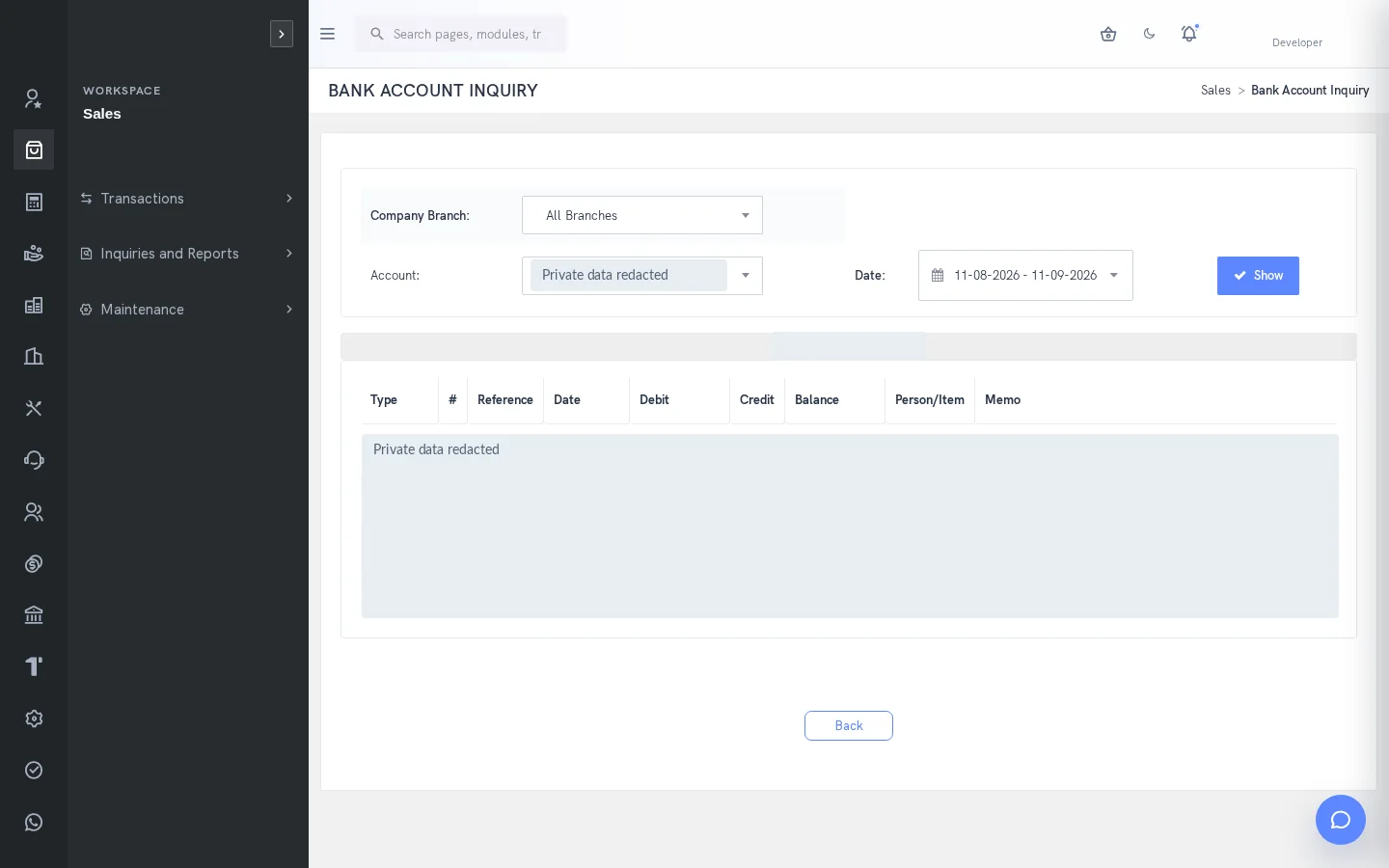
Review Bank Account Inquiry and the resulting ledger view after processing. Use consistent dates and account scope when comparing the inquiry with a statement. A timing difference needs explanation; it should not be hidden by an unrelated adjustment.
How the workflow connects
Select accountRecord activityCompare statementInvestigate differencesConfirm reconciliation
Putting the workflow into practice
A finance team can review outstanding statement differences while keeping customer and supplier allocations intact. An account transfer can be traced separately from income or expenditure. A reviewer can inspect the bank entry and its ledger effect using the same date and account context.
Permissions and review points
Bank operations require their own access and account configuration. Completing reconciliation changes state. Journal entry is not the route for posting directly to bank accounts in the documented workflow. Review import mappings before loading statement data.
Questions to bring to your demo
Bring a representative banking requirement and the roles involved. Start with the source record, follow the next transaction and examine the resulting inquiry. Ask the team to show the relevant validation, approval and exception handling with your expected company and location context. This makes it possible to assess the workflow against how your organization actually works.
Review both routine activity and a realistic exception. Identify who enters information, who reviews it and who confirms the final result. Agree which inquiry or report establishes completion, and check the underlying references. This approach creates a useful implementation discussion without assuming that every optional function is already enabled.
Define a reliable handoff between teams
Use the workflow above to agree the reference that passes from one team to the next. The next person should know what the previous action establishes, which details still need review and which record will confirm the result. Retain the company, date and relevant party or item context when investigating a difference. This makes an exception easier to explain than a separate message with no transaction reference.
During implementation, compare the intended procedure with the available entry and inquiry screens. Test a complete record, an incomplete record and a role that should not perform the action. Where approval applies, review pending and completed outcomes separately. The objective is to establish the operating boundaries and evidence of completion for the actual configuration your team will use.
Who uses this module?
Bank/cash operators, finance reviewers and staff responsible for reconciliation.
Business value of a connected workflow
Recording transfers and settlement in their correct workflows makes bank differences easier to investigate.
Reporting and operational review
Bank Account Inquiry and GL detail explain movements; reconciliation compares them with external statement evidence.
Explore individual functions
Use the related features below to explore the connected business process in more detail.
A few useful answers
Frequently asked questions
What does SERP banking help teams manage?
Record payments, deposits and account transfers, then compare bank activity with statement evidence in SERP.
How should we evaluate banking in a demo?
Use a representative requirement, trace the steps from select account to confirm reconciliation, and review the resulting records with the people responsible for each action.
Can every user access these functions?
No. Availability depends on enabled company functions and assigned permissions. Entry, review, approval and administration may require different access.
Does SERP provide bank reconciliation?
Yes. Reconciliation workflows compare account transactions with statement/date context. Available import and matching controls depend on the installed workflow.
How are bank transfers different from customer receipts?
A bank transfer moves value between accounts. Customer receipts retain the customer subledger and allocation context.
Which reports help this team review its work?
Bank Account Inquiry and GL detail explain movements; reconciliation compares them with external statement evidence.
See how your business connects with SERP.
Bring your processes, priorities and questions. Let’s make the demonstration useful for your team.
Request a Demo →