
Connected ERP modules
CRM ERP, connected to your business
Manage leads, contacts, opportunities and follow-up in SERP, connecting customer relationships with the next commercial action.
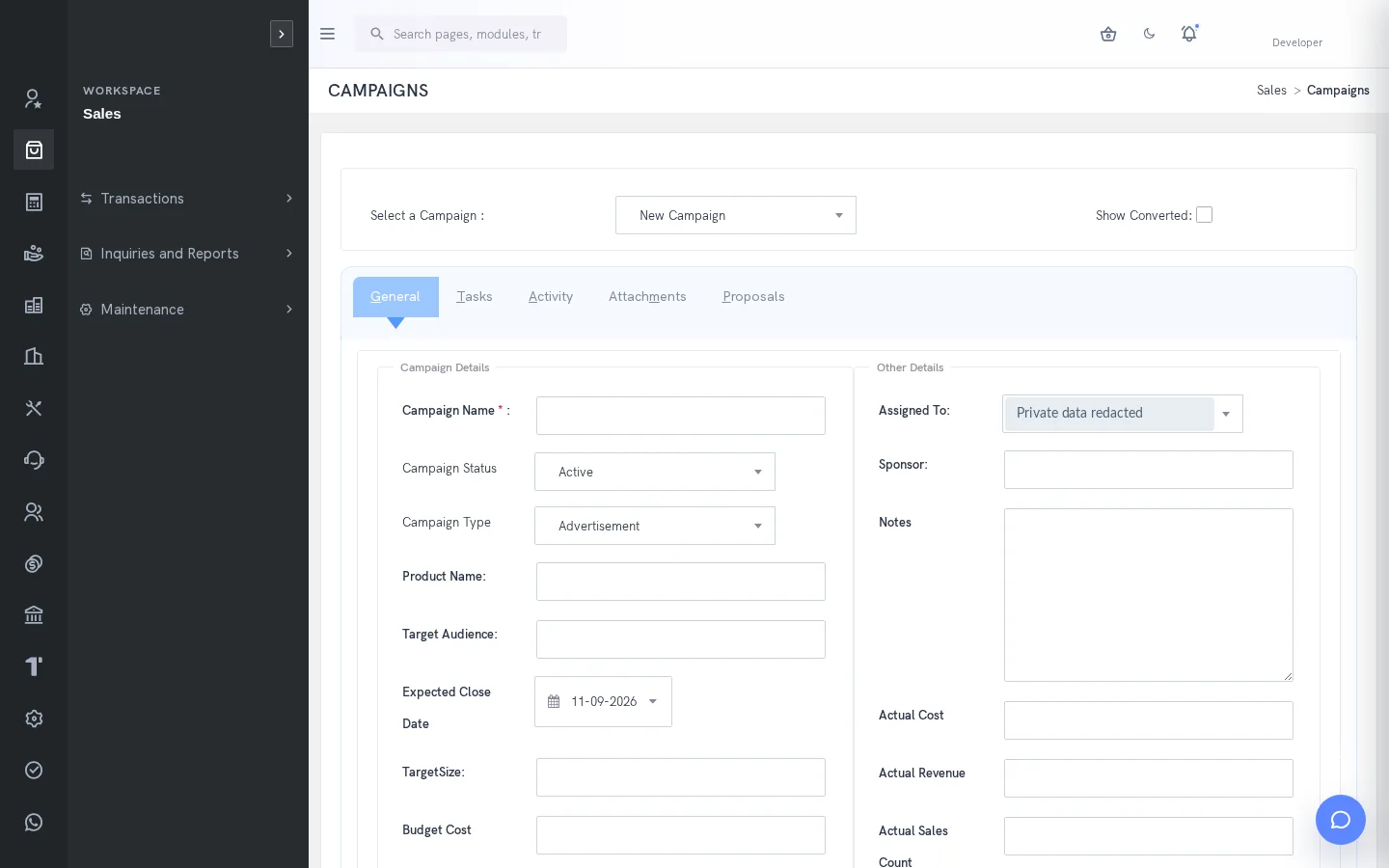
A clearer way to manage crm
Customer knowledge becomes difficult to use when contact details, proposals and follow-up tasks sit in separate places. A sales representative needs the history behind a conversation, while a supervisor needs to see which opportunities need attention. SERP brings campaigns, leads, contacts, opportunities, proposals, tasks and activities into a shared CRM area, with access appropriate to each user.
What is crm in SERP?
SERP is an integrated ERP/business management platform from Sybel Micro Solutions. Its crm capabilities support the operational records, inquiries and authorized actions described below. Teams can follow a requirement through the relevant business records instead of interpreting isolated status updates. Availability depends on enabled company functions and the user’s role.
Key capabilities
Lead qualification
Capture contact and company information, classify the requirement by source, industry, status and rating, and assign responsibility. A useful lead record gives the next person enough context to continue the conversation. Qualification should establish the business need before an authorized user converts the lead to an opportunity or customer.
Opportunities and proposals
Keep opportunities and CRM proposals visible to the sales team. Configured sales stages help users describe commercial progress consistently. A CRM proposal and a Sales quotation are distinct records; conversion does not establish that a sale has been posted. Review the next document in its own workflow.
Tasks and activities
Record follow-up work with task stage, type and priority, and maintain activity records for customer interactions. Separate inquiries cover reminders, calls and meetings. This makes it easier to review a relationship before contacting the customer and reduces dependence on the memory of a single representative.
Campaigns and communication
Organize campaigns and their related work, with configurable email templates and automation. Email logs provide a separate point of inquiry. Check recipients and intended communication before sending. CRM custom fields, pick lists, CSV import/export and web leads help adapt collection of relationship information to the business.
Tickets, projects and attachments
Use tickets for customer issues and CRM projects for relationship-related project work. Attachments retain supporting information, while collaboration supports authorized conversations. CRM attachments do not replace the controlled revision and release process in Document Management. Choose the appropriate record for the business purpose.
How the workflow connects
Capture leadQualify requirementRecord opportunityPrepare proposalContinue to sales
Putting the workflow into practice
Before a sales meeting, review the lead or opportunity history, confirm the next action and update the responsible task. For a campaign, use consistent source and status values so a supervisor can compare the resulting leads meaningfully. For a customer issue, preserve the ticket context instead of spreading replies across unrelated records.
Permissions and review points
CRM permissions are distinct from accounting customer access. The AI assistant may create a lead when the necessary permission, validation and explicit confirmation are present; that operation writes immediately. Review the returned lead reference. Grant conversion, communication and lead-creation permissions according to the responsibilities of each role.
Questions to bring to your demo
Bring a representative crm requirement and the roles involved. Start with the source record, follow the next transaction and examine the resulting inquiry. Ask the team to show the relevant validation, approval and exception handling with your expected company and location context. This makes it possible to assess the workflow against how your organization actually works.
Review both routine activity and a realistic exception. Identify who enters information, who reviews it and who confirms the final result. Agree which inquiry or report establishes completion, and check the underlying references. This approach creates a useful implementation discussion without assuming that every optional function is already enabled.
Define a reliable handoff between teams
Use the workflow above to agree the reference that passes from one team to the next. The next person should know what the previous action establishes, which details still need review and which record will confirm the result. Retain the company, date and relevant party or item context when investigating a difference. This makes an exception easier to explain than a separate message with no transaction reference.
During implementation, compare the intended procedure with the available entry and inquiry screens. Test a complete record, an incomplete record and a role that should not perform the action. Where approval applies, review pending and completed outcomes separately. The objective is to establish the operating boundaries and evidence of completion for the actual configuration your team will use.
Who uses this module?
Sales representatives, CRM supervisors and colleagues responsible for follow-up.
Business value of a connected workflow
A shared lead and activity history helps a colleague continue a customer conversation without reconstructing it from personal notes.
Reporting and operational review
Leads, opportunities, tasks, proposals, reminders, calls, meetings and email logs provide different views of follow-up work.
Explore individual functions
A few useful answers
Frequently asked questions
What does SERP crm help teams manage?
Manage leads, contacts, opportunities and follow-up in SERP, connecting customer relationships with the next commercial action.
How should we evaluate crm in a demo?
Use a representative requirement, trace the steps from capture lead to continue to sales, and review the resulting records with the people responsible for each action.
Can every user access these functions?
No. Availability depends on enabled company functions and assigned permissions. Entry, review, approval and administration may require different access.
Can a lead become a customer?
Authorized users can qualify a lead and use the available conversion to opportunity or customer. CRM proposals remain distinct from Sales quotations.
Does CRM include tasks and communication?
CRM supports tasks, activities, tickets and separate chat. Email templates, automation and web-lead functions depend on the configured setup.
Which reports help this team review its work?
Leads, opportunities, tasks, proposals, reminders, calls, meetings and email logs provide different views of follow-up work.
See how your business connects with SERP.
Bring your processes, priorities and questions. Let’s make the demonstration useful for your team.
Request a Demo →