
Connected ERP modules
Administration & Security ERP, connected to your business
Manage company context, users, roles, references and authorized configuration with SERP administration controls.
A clearer way to manage administration & security
A connected ERP needs access that matches actual responsibility. SERP administrators maintain users and roles alongside company, branch and operational settings. Module availability, page access and permission to perform an action are related controls, but they are not interchangeable.
What is administration & security in SERP?
SERP is an integrated ERP/business management platform from Sybel Micro Solutions. Its administration & security capabilities support the operational records, inquiries and authorized actions described below. Teams can follow a requirement through the relevant business records instead of interpreting isolated status updates. Availability depends on enabled company functions and the user’s role.
Key capabilities
Users and access roles
Assign the intended user identity and role, and permit only the areas needed for the job. Review the actual page and action access after sign-in. Access to accounting customers does not automatically confer all CRM permissions, and payroll administration should remain separate from employee self-service.
Company and branch context
Maintain company branches and review company availability, branch and location restrictions alongside functional access. Users should establish the correct company and fiscal context before processing. A valid account in one company does not establish unrestricted access to every company.
Operational setup
Authorized settings include references and forms, print profiles, fiscal years, tax and accounting defaults. These influence transaction behavior and output. Review a setting’s business effect before changing it, especially when it affects document numbering, period availability or financial classification.
Activity and integration control
Use user activity and authorized audit views to investigate changes. Restrict integration credentials and administration to the responsible people. AI data tools, document reviews, approvals and financial actions retain their own control boundaries within the larger platform.
How the workflow connects
Define responsibilityAssign roleCheck company scopeVerify accessReview activity
Putting the workflow into practice
An implementation team can define separate sales-entry, receiving, invoice-review and payment roles. HR can distinguish employee profile access from payroll processing. An administrator can verify the allowed actions using representative accounts and investigate changes through activity evidence.
Permissions and review points
The website does not claim certifications or unverified authentication methods. Configuration and permission checks need to be tested in the target deployment. Credentials, private records and operational administration endpoints must not appear in public marketing assets.
Questions to bring to your demo
Bring a representative administration & security requirement and the roles involved. Start with the source record, follow the next transaction and examine the resulting inquiry. Ask the team to show the relevant validation, approval and exception handling with your expected company and location context. This makes it possible to assess the workflow against how your organization actually works.
Review both routine activity and a realistic exception. Identify who enters information, who reviews it and who confirms the final result. Agree which inquiry or report establishes completion, and check the underlying references. This approach creates a useful implementation discussion without assuming that every optional function is already enabled.
Define a reliable handoff between teams
Use the workflow above to agree the reference that passes from one team to the next. The next person should know what the previous action establishes, which details still need review and which record will confirm the result. Retain the company, date and relevant party or item context when investigating a difference. This makes an exception easier to explain than a separate message with no transaction reference.
During implementation, compare the intended procedure with the available entry and inquiry screens. Test a complete record, an incomplete record and a role that should not perform the action. Where approval applies, review pending and completed outcomes separately. The objective is to establish the operating boundaries and evidence of completion for the actual configuration your team will use.
Who uses this module?
System administrators, access owners and people responsible for company settings.
Business value of a connected workflow
Defined responsibilities help separate everyday data entry from changes to company configuration and external-service credentials.
Reporting and operational review
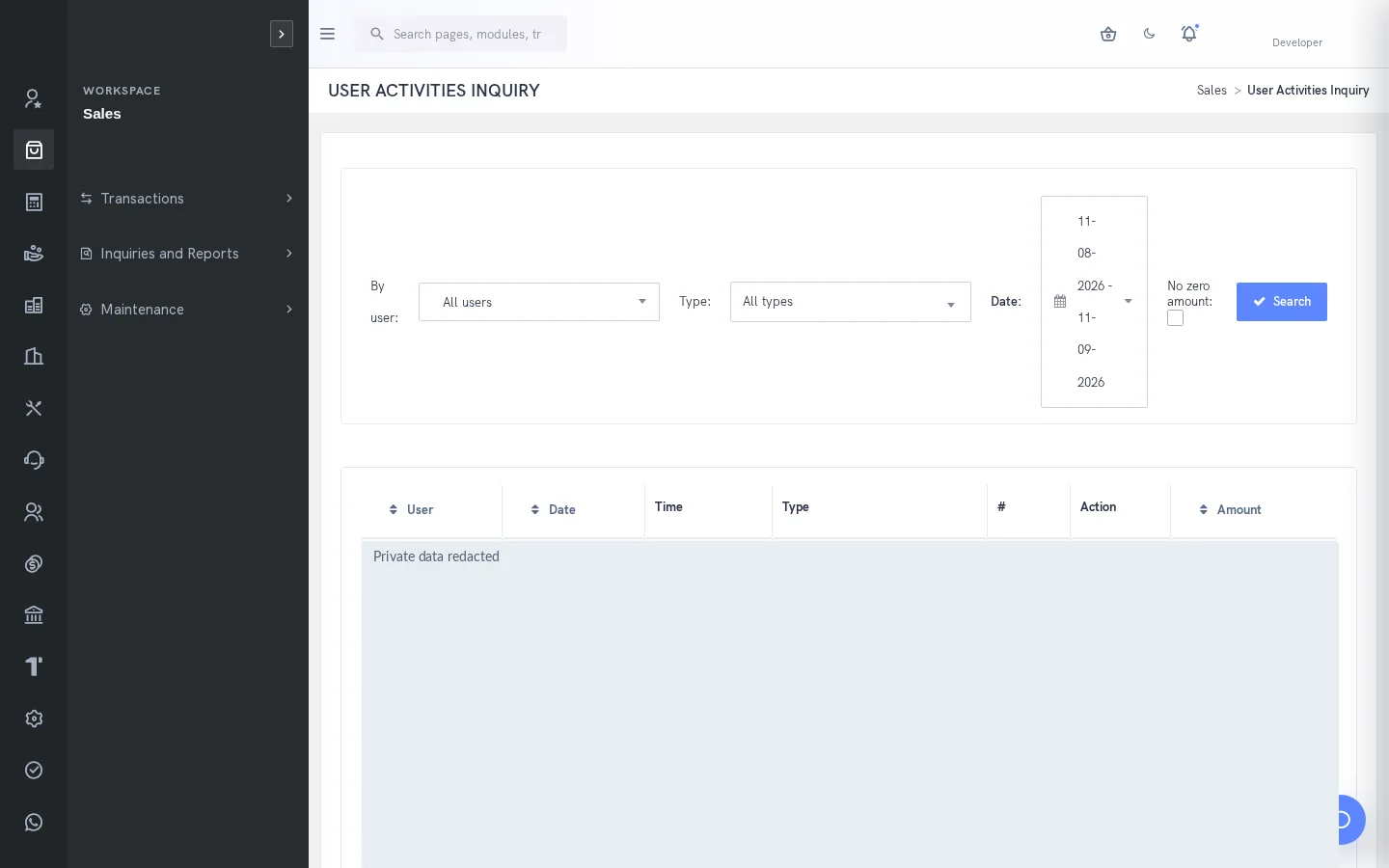
User Activities Inquiry and audit views support investigation; their availability is permission controlled.
Explore individual functions
A few useful answers
Frequently asked questions
What does SERP administration & security help teams manage?
Manage company context, users, roles, references and authorized configuration with SERP administration controls.
How should we evaluate administration & security in a demo?
Use a representative requirement, trace the steps from define responsibility to review activity, and review the resulting records with the people responsible for each action.
Can every user access these functions?
No. Availability depends on enabled company functions and assigned permissions. Entry, review, approval and administration may require different access.
Can access differ by company or branch?
Company availability and branch/location restrictions should be reviewed separately from page and action permissions.
Are all languages and regional options enabled by default?
No. Language, currency, tax and extension settings depend on the deployment. Confirm the required localization scope during evaluation.
Which reports help this team review its work?
User Activities Inquiry and audit views support investigation; their availability is permission controlled.
See how your business connects with SERP.
Bring your processes, priorities and questions. Let’s make the demonstration useful for your team.
Request a Demo →